Jul 07, 2025
Not long ago I was musing with a colleague that I thought that there should be a simple "Joel Test" style benchmark for corporate cybersecurity teams. For those who are not familiar with the Joel Test, it is a list of 12 yes/no questions that all software development teams should answer "yes" to. My colleague said that cybersecurity is too specialized and domain-specific for a general list of requirements. Yes, I know that there are frameworks like NIST CSF and ISO/IEC 27001, but those are elaborate and complicated. Today I got the idea to ask Claude AI for a Joel-style test for cybersecurity and I think that it came up with a great list of baseline practices that all teams should comply with. Here it is.
Looking at the Joel Test's principles, I can create a cyber security analog that captures the same spirit - simple yes/no questions that indicate fundamental health of a security program. Here's my "Cyber Security Team Test":
The Cyber Security Team Test
-
Do you have comprehensive asset inventory?
Can you answer "what systems do we have and where are they?" in under 5 minutes? Without knowing what you're protecting, you can't protect it effectively.
-
Do you monitor and log security events in real-time?
Are security logs being collected, analyzed, and alerting on suspicious activity 24/7? If an incident happens, you need to know about it immediately, not weeks later.
-
Do you have an incident response plan that's actually practiced?
Not just a document in a drawer - does your team regularly drill incident response scenarios? When something bad happens, muscle memory saves critical time.
-
Do you patch critical vulnerabilities within 72 hours?
Are you staying ahead of known exploits with a disciplined patching process? The window between disclosure and exploitation keeps shrinking.
-
Do you require multi-factor authentication for all privileged access?
Are admin accounts and sensitive systems protected beyond just passwords? This is your last line of defense when credentials are compromised.
-
Do you have automated security scanning integrated into development?
Are you catching vulnerabilities before they hit production? Security testing should be built into the pipeline, not bolted on afterward.
-
Do you maintain an up-to-date threat model?
Do you know what attacks you're most likely to face and have you designed defenses accordingly? Generic security is weak security.
-
Do you have network segmentation and access controls?
Can an attacker move laterally through your entire environment once they're in? Assume breach and limit blast radius.
-
Do you perform regular security awareness training?
Are your users your strongest or weakest link? Human error remains the top attack vector - train accordingly.
-
Do you have offline, tested backups?
Can you recover from ransomware or catastrophic failure? Your backup strategy is your ultimate safety net.
-
Do you conduct regular penetration testing?
Are you validating your defenses against real-world attack techniques? Testing assumptions is crucial.
-
Do you have security requirements integrated into procurement?
Are new tools and services evaluated for security impact before deployment? Security can't be an afterthought in vendor selection.
Like the Joel Test, this gives you a quick health check. A score of 12 is excellent, 10-11 is good, 8-9 needs improvement, and below 8 indicates serious gaps that need immediate attention.
The key insight from Joel's original test applies here too: these aren't the only factors that matter, but getting these fundamentals right creates a foundation for effective security operations. A team that scores well on these basics will be much better positioned to handle sophisticated threats than one that doesn't.
Apr 23, 2025
After hearing so much about how LLMs are revolutionizing software development, I decided to give it a try. Specifically, I wanted to be able to formulate my own opinions on whether:
- AI will make software engineers obsolete
- AI will transform the way software is developed and teams are organized
- AI will unlock new opportunities for non-programmers to experiment
- AI will allow me to overcome my own rust to be a productive programmer
Over the years I have learned that the best way to learn a technology is to "use it in anger." That is, use it to solve a real world problem. Unlike doing simple "hello world" experiments or running through tutorials, this technique gives you the best chance of running across a technology's rough edges. Plus, you get a useful solution out of it.
Some of the inspiration for my project came from a New York Times article about "Vibe Coding" where the reporter described how he used AI to write little personal applications to make his life easier. The problem that I wanted to solve was a natural tendency to fall out of touch with my friends. So I built a little relationship tracker that remembers the last time that I connected with each of my friends. My application synchronizes with a "Relationships" group in my address book and allows me to record when and how I connected with them. Friends that I haven't talked to in a while go from green to yellow to red. It's a simple little application but I use it regularly.
I went into the exercise with requirements but no AI coding experience. I knew that I wanted to write the back end in Python and host it as AWS Lambda functions. I am a decent (although rusty) Python developer so I felt like I could judge the quality of the backend code. But I wanted the front end to be in ReactJS and React got popular after I stopped doing web front end work. I wanted to try Claude Sonnet 3.7 because people were raving about it.
My first attempt was to go to the Claude website and request the whole application in one massively detailed prompt. That just gave me some code blocks that I could paste into files. Realizing the absurdity of my plan, I decided to use the Cursor IDE and program the old fashioned way: incrementally and iteratively. I started by asking the agent to build out a directory structure for the front end and back end components of my project and started describing backend requirements for synchronization and an API to retrieve them from the application's database. It took a while to figure out how my email/contacts/calendar service represented groups of contacts in their CardDAV API and Claude was very helpful in writing experimental code to interrogate the API. Once we figured it out, I was able to coach Claude to optimize the code to minimize API calls.
Creating the front end was almost effortless. Claude wrote functionally correct code and also made sensible choices on the user interface. The iteration cycle was super fast. If I wanted to experiment with a usability improvement, I just described my idea. Somehow it understood my directives for moving page elements around making them more visible.
The experience of working with Claude is magical. It reminds me of pair programming with a really good developer. It has all of the collaborative benefits of pair programming (different perspectives, two sets of "eyes," etc.), but without the cost. Sometimes the coding agent does foolish things or forgets a decision. The agent also writes a lot of code so you need to constantly clean out what you don't want to use. But I found myself welcoming opportunities to add value by guiding it. Most of all, I was exhilarated by the satisfaction of being so productive. The time from idea to execution is nearly nothing. Issues melt away as the agent tries different problem solving approaches. It's easy to get into the zone and forget the rest of the world.
I think that all developers should use a coding agent and, based on what my peers say, many of them already are. AI agents allow developers to iterate and experiment faster and I don't think they will replace them. However, I do think that AI diminishes the value of large offshore teams that offset additional management overhead and collaborative friction (language, time zones, etc.) with wage arbitrage. With an AI agent, a small development team can keep up with a product manager's ideas. AI does the typing so lots of hands on keyboards isn't as useful.
In addition to coding faster, AI coding agents help developers work across unfamiliar code bases. Somewhere I heard the analogy that maintaining someone else's code is like looking at art through a cardboard paper towel roll. The AI agent slurps up the whole program and understands how it works and where the changes need to be made. It is great for refactoring because it can quickly write unit tests to ensure changes don't break.
I am also wondering if lowering the cost of writing and maintaining custom code will shift the build vs. buy calculus. Buyers may be more tempted to build exactly what they need rather than compromise on software built for a larger market segment. Incumbent software category leaders may also lose their maturity advantage because a competitor can build critical feature parity so much faster.
My overall advice to anyone who is not thinking about AI coding is to start thinking about how to use it. Consider guidelines for use and processes for ensuring quality. Think about new opportunities that it unlocks and prior reasoning it invalidates. Whatever you do, don't ignore it.
Feb 01, 2024
The term "viable" (as in Minimum Viable Product or MVP) may be the least understood term in software development. In common parlance, an MVP is often used to describe something that sucks but may get better. This negative connotation causes many to prefer the term Minimum Lovable Product (MLP). "Viable," as it is often understood, means unlovable.
I would like to redeem the word "viable" because it has a lot more to offer than lovable. I think of viable as having some kind of advantage that would make a customer choose it over another option (either a competing product or making do without it).
Thinking about viability in this way helps you ask better questions to understand the value of the solution. What problem are we solving and are customers motivated to solve it? What alternatives are there? Why is this solution better?
Viability in a mature market is very different than in a new category. In a mature market, viability depends on differentiation: a new approach, a different price point, etc. In a new category, viability depends on customers relating to the problem and understanding the benefits of solving it in an innovative way.
The company behind the solution also factors into its viability. For a portfolio software company (that sells many solutions into an enterprise) viability for a product could mean being almost as good as a best of breed choice -- appealing to customers who want the simplicity or savings of a single vendor. For example, most users prefer Slack and Zoom but enterprises often buy MS Teams. Startups have a higher viability bar. Their solution needs to be appealing enough to overcome any concerns about the instability of the company or friction from dealing with another vendor.
Pricing factors into viability. People will not invest in a costly solution to a minor problem.
We lose all of this nuance when we talk about "lovable." A viable product can still be lovable but what makes a product successful is its viability.
Dec 22, 2023
A bulk of my information diet these days comes from email newsletters. I subscribe to newsletters from news publishers like Axios and the New York times and also personal newsletters from individual commentators. Between personal and professional topics, I probably spend 30+ minutes a day reading newsletters. I don't see RSS feeds promoted as prominently any more. People and organizations have moved their blogging energy to newsletters, LinkedIn articles, or long threads on microblogging networks.
While I feel validated by proof supporting my "Email is the Portal" hypothesis, I am sad that blogging and syndication seems to be disappearing. I like the blogging/syndication model because everyone gets to own a little space on the internet (their blog) and tools (RSS readers) to aggregate content from everyone else's spaces. The system is simple, elegant, and flexible. Everyone has agency to control their content and choose their tools.
The systems that have supplanted the blogging/syndication ecosystem are clearly inferior for the purposes of managing, publishing, and preserving content. In these alternatives, content has no permanent place. You are not going to know about issues from before you subscribed to an email newsletter. Content in an activity feed basically disappears and it's hard to get back to. Thankfully Evernote allows me to store copies of these artifacts.
But the new tools are better for building and measuring audiences because subscription is built into the publisher side of the system. In the blogging/syndication model, the subscriber used their feed reader to subscribe and the publisher needed hacks like FeedBurner and web analytics packages to identify and measure their audiences. With email newsletters, subscribers must provide their email address (and maybe pay money) to get content. On the social media platforms, the audience needs to click the follow button to add their identity to the list of followers.
In this new world, content is an ephemeral input to build an audience. I am not too much of an idealist to realize that the money behind the digital economy always wanted an audience-oriented, rather than content-oriented, ecosystem. People have been talking about "monetizing eyeballs" for decades. But, for someone who loves content (creating, managing, collecting, consuming... all the things), the commoditization hurts just a little bit.
Note... with this post, I have met my 2023 goal to blog every month!
Nov 22, 2023
Today I started an experiment to keep a daily journal through the end of the year. The first entry (reposted below) explains why and how. I am cross posting here for some additional accountability. I know that there will be days when I want to skip. I am hoping that the possibility of someone asking about my experiment will help me push through.
2023-11-22 Personal Journal Experiment
With this entry, I am starting an experiment to keep a daily personal journal. My goal is to establish and maintain a habit that will: 1) Make writing easier. The more you do anything, the easier it gets. With writing, practice helps me establish my voice and organize my thoughts. 2) Cultivate my ideas and creativity. I am happiest when my head is full of ideas. But often thoughts pass before I get around to explore and elaborate them to the point where they are worth sharing with others. 3) Encourage myself to reflect on my experiences. I don't learn from experience. I learn from thinking about what I experience. Reflection gives me an opportunity to associate my experience with greater context.
How will I do it?
Since, I am already a Bullet Journal devotee, I will add raw thoughts to my Daily Log. I will block off 30 minutes at the end of each day to write an entry in Evernote (one note per entry). Some of the entries will be refined, expanded, or combined for posts on my public blog.
Why don't I suck it up and post on my public blog every day?
I'm too chicken. I want a safe space to play with ideas that I might disagree with a day later.
Why not use one of those cool journalling apps?
I want to leverage the tools and habits that I already have and I want the content to be integrated with the rest of my life rather than fragmented in some other place.
How polished will the journal entries be?
Journal entries will be polished enough to give voice to an idea. They should be "conversation quality:" coherent enough to share with a friend that is interested in the same topic. No fever dream rambles or short hand notes.
How long will I do this?
I am going to pilot the daily journal until the end of 2023. If it achieves the benefits listed above (or some other values that I don't expect), I will create a 2024 goal to continue.
Oct 15, 2023
I have been reflecting on my Amazon experience and, while the company has plenty of issues that I am happy to be free of, there are a few practices that I plan to take forward in my career.
Writing Culture
You may have heard about Amazon’s “peculiar” meeting style where the first half of the meeting is spent silently reading a document and the rest is for discussion. Writing out ideas is so much more effective than talking through bullet points on a slide or having a free form discussion. The writer is forced to think through their recommendation, fill in gaps, and fully support assertions with data. Clear writing requires clear thinking. While a deft speaker can gloss over inconsistencies or ambiguity, those deficiencies have nowhere to hide in a document. Documents accelerate the decision making process by organizing all of the inputs and making sure all of the decision makers are fully informed. A good document anticipates skepticism and brings supporting information into the conversation rather than requiring a follow up. You don't waste any time debating facts or jumping from topic to topic. Often the meeting ends with a decision, or at least a concrete list of factors to address. Plus, the reasoning behind the decision and related commentary is fully archived to revisit later.
Leadership Principles
Amazon’s Leadership Principles are the lingua franca of the organization. All Amazonian’s know the LPs by heart and use them in their reasoning. In a performance review or promotion, a manager might be asked to provide an example of an employee “Diving Deep” or “Inventing and Simplifying.” In a strategy discussion, you might consider which option demonstrates more “Customer Obsession.” The LPs seem simple and obvious on their surface, but you come to appreciate the nuance and tension between them. For example, “Bias for Action,” which might lead you to charge forward with an experiment, can seem in conflict with “Insist on the Highest Standards,” which counsels thoroughness and perfection. The LPs make you think and they give you language to discuss your ideas. As an example of how seriously Amazonian's take the LPs, I remember some great conversations about how the two newest ones ("Strive to be Earth’s Best Employer" and "Success and Scale Bring Broad Responsibility") lack the clarity and guidance of the others. So a group shared revisions that I think are much more useful: "Lead with Empathy" and "Build Sustainably." These versions were never officially adopted but I saved the definitions here.
Hiring
Amazon was aggressively hiring for most of my time there. The process was designed for efficiency and effectiveness. Everyone on the interview team had a plan for what areas they were evaluating. They were responsible for finding supporting and contradictory evidence of proficiency in the areas that they were interviewing for. Interviewers were required to submit their notes and their conclusions (inclined or not inclined to hire) before the review meeting. During the discussion, everyone on the team was expected to challenge unsupported statements from their peers. For example, you couldn't say that the candidate "seemed aloof," you had you give an example where they tolerated substandard work and describe the implications of that behavior. By pushing each other and accepting feedback, the interview teams were able to identify and weed out unconscious bias. I was also impressed that Amazon was able to maintain high standards despite the hiring frenzy that all of the big tech companies were engaged in.
Amazon is a huge company and some groups only go through the motions rather than get the full benefit of these mechanisms. But the fact that everyone at Amazon is trained to use them is an incredible strength for an organization if leaders are able to walk the walk.
Sep 14, 2023
Back in December, I decided to leave Twitter X and direct my social energies elsewhere. Part of my emigration plan was to export my tweets in case I ever wanted to access them. After a few ignored requests, X finally generated an export that I was able to download. This is a summary of my experience.
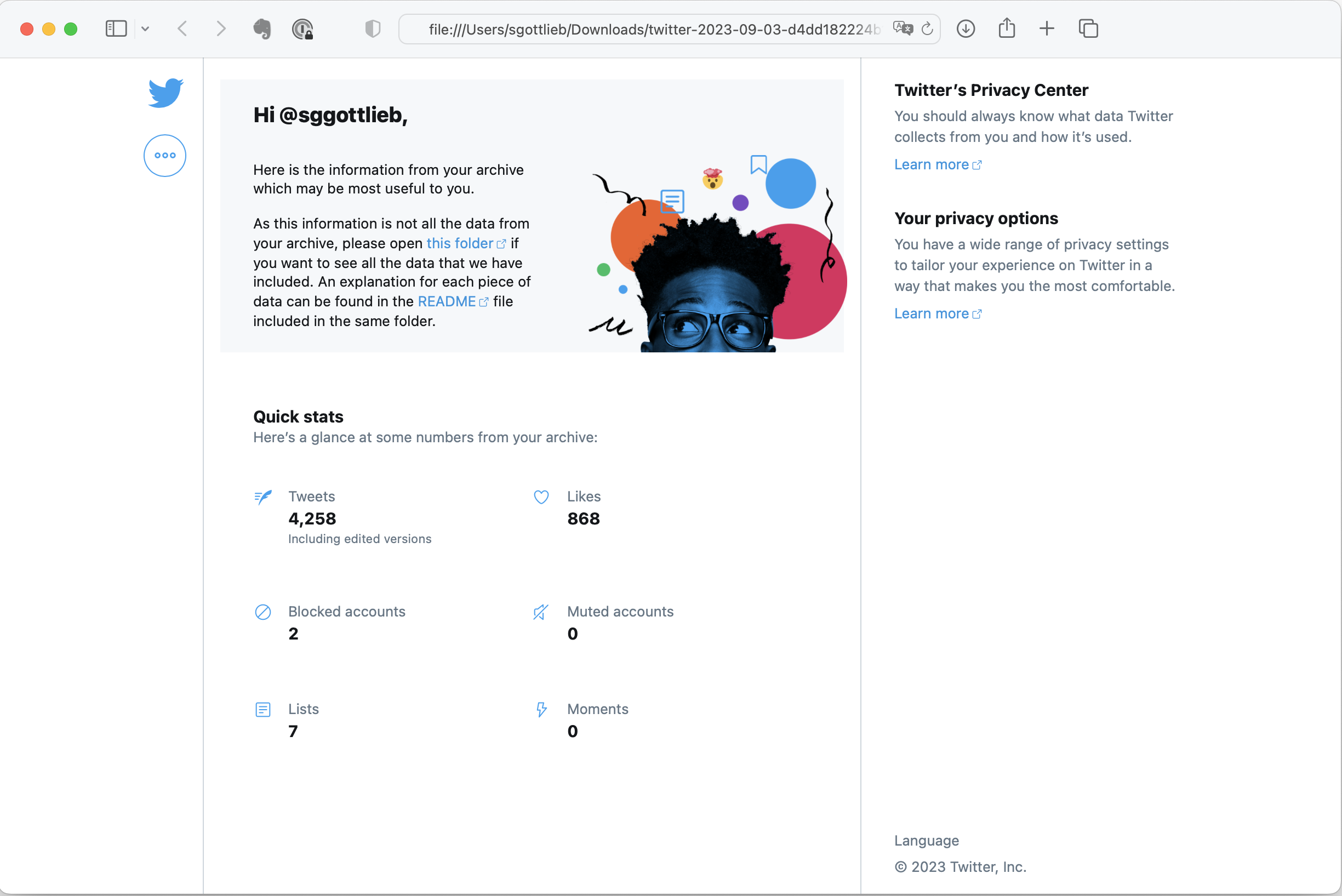
I was never a prolific tweeter (less than 5,000 posts since 2008) so I was suprized by the size of the archive: 45MB compressed. The zip expands into a directory that contains a local website of all of your twitter activity.
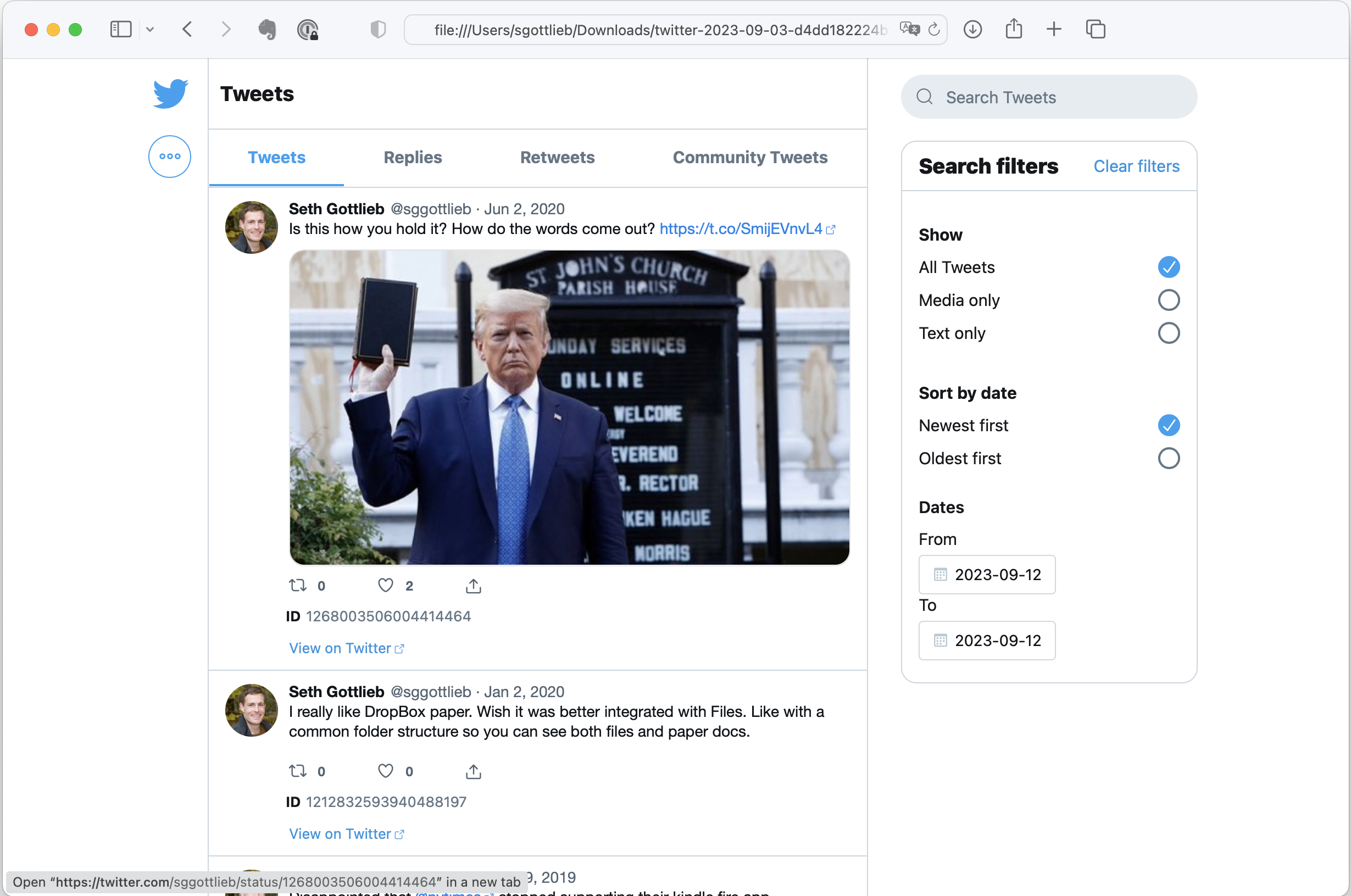
The tweets view allows you to browse, filter, and search your tweets, retweets, and replies. All of the images referenced in your posts are stored locally. That explains why the archive is so big. Clicking on the tweet takes you to the tweet on twitter.com.
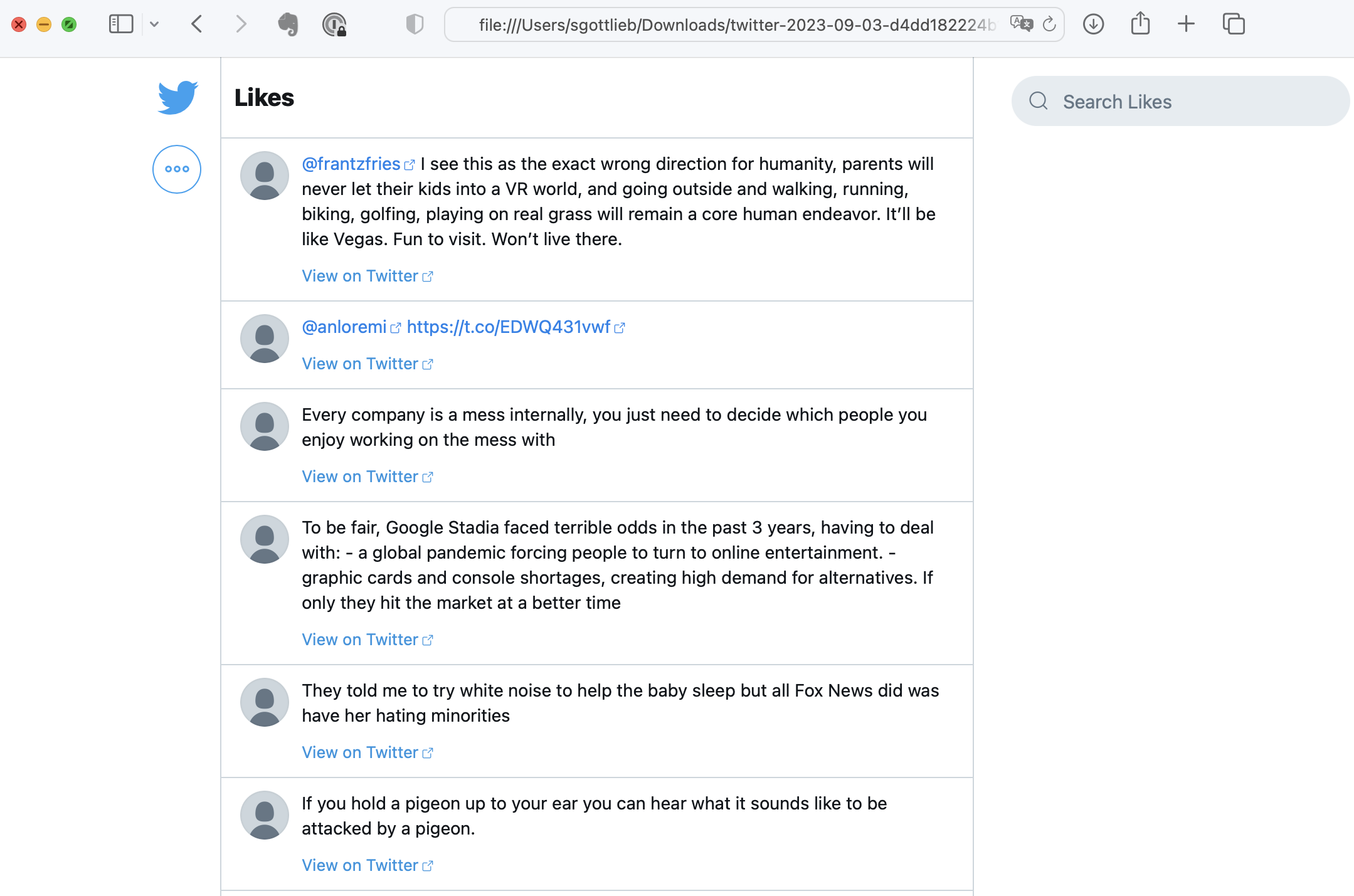
The likes view is my favorite mainly because I tended to ❤️ jokes. The personalization view shows how Twitter interpreted my interests from my activity to build my own personal echo chamber.
Under the hood, the archive stores all of the tweets in a single JSON file (data/tweets.js) that has high potential for harvesting programmatically because it is so nicely structured. For example, I could easily write a script that ranked my tweets by how many times they were retweeted.
But I probably won't.
While I am impressed by the design and capabilities of the archive, I am disappointed by the utility of having it. Maybe if I was a great comedian, this could be my highlight reel. Most of my tweets, however, were parts of conversations, which are meaningless without the context of the thread. Quoted tweets and retweets also lack context because the original tweet is truncated. The worst problem is that nothing is particularly relevant right now. The moment has passed. The external links have rotted away. For me, the best part was the community and the interaction. And that can't be exported.
For what it's worth, I have the exact opposite experience with this blog, which I started back in 2004. I regularly go back and read old posts to remind myself of something that I learned or how I thought about a topic. You need more than 140 (or even 280) characters to present an idea that can stand on its own. Because I was writing for a public audience, I made an effort to provide context, think and write clearly, and support my reasoning. Being a decade+ older than I was when I wrote many of these posts, I see that I could be the stranger that I was writing for.
Aug 03, 2023
Here is an interesting Fortune Magazine article about the backlash to Return to Office (RTO) mandates: "We’re now finding out the damaging results of the mandated return to the office–and it’s worse than we thought". In addition to the inconvenience of getting to an office and the inflexibility of not being able to interlace small home tasks in your work day, this article made me think of the “mandate” aspect. Edicts like these send the message that the employee is less valued for what they can achieve than for doing tasks in compliant ways. The top down nature shows how little power the management chain has to support the team and advocate for individuals.
Jul 29, 2023
With their "return to office" mandates, many companies are signaling an inability to adapt their culture and/or processes to effectively manage a remote workforce. There is a significant population of employees who have thrived while working remotely and are unwilling or unable to go back to a traditional office setting. For example, an employee may live in different part of the world, their commute may be too long, they may need a more flexible workday, an office setting may aggravate mental health issues or subject them to discrimination or biases, they may have a disability and their home office offers better accommodations... the list goes on. This is great news for companies who are able to "crack the virtual code" because the "RTO" trend gives them access to talent that they could not otherwise lure away from "Blue Chip" employers. Many of the people who are searching for remote work are doing so because they perform better remotely and employers will benefit if they can tap into this talent pool.
So how to crack the code? Here is my quick list of company characteristics that are conducive to supporting a healthy and productive virtual culture.
- Aligned Strategy and Goals. In their book Extreme Ownership, Jocko Willing and Leif Babin talk about how effective leaders are able to communicate goals, set parameters and expectations, and empower people to execute. It helps for a leader to welcome doubt and an opportunity convince their team on the thinking behind the strategy so team members can make better decisions and align others. When someone believes in the strategy and goals, they become internally motivated to act independently and can adapt to changing information. They don't need as much supervision to get results. They don't go through the motions or waste time on superficial expressions of dedication (like face time in the office).
- No Hybrid Teams. While a company can be "hybrid" (part colocated, part distributed), a team should be either colocated or distributed. Sprinkling remote workers into a colocated team creates communication gaps and unhealthy dynamics. When a team is fully distributed, they use tools and build mechanisms that are optimized for virtual collaboration.
- Content Culture. Distributed workers can't rely on peers being available to answer questions during every one of their working hours. Instead, they need to be able to rely on "content" (documentation, notes, plans, updates...) that can be shared across space and time. Distributed workers need effective writing skills to produce assets that will become the ground truth and shared understanding of the team. And there needs to be a culture that values the availability and accuracy of documented information.
- Social Effort. Social connection doesn't necessarily depend on continuous physical proximity. People can coexist for years without even learning each others' names. Whether you are colocated or distributed, you need to intentionally reach out to connect and build trust. When your team is distributed, you need to be more intentional because you don't have constant access to body language and other signals. This includes checking in on each other because silence can mean many things. It's also important to schedule periodic get togethers for team building. Pro-tip: going to a conference with your team is a great way to learn, socialize, and get energized by new ideas.
- Recruit Experience. Organizations that hire entry level staff and practice "up or out" career management often struggle with the remote model. New graduates need highly visible role models and professional socialization that is harder to get in a remote setting. Coaching needs to be more interactive and personalized. Young professionals also tend to have less of a network or community for emotional support. On the other hand, workers who already have a professional foundation and are looking for remote positions have probably already established family and community that they need to balance with work.
Jun 22, 2023
In my last re-platforming of this blog, I accidentally dropped the Creative Commons Attribution licensing that I had been using. Blogging platforms treat licensing as part of the format rather than the content itself. The format is part of the CMS theme so when the CMS changes, the content moves but the licensing does not. I am still trying to make up my mind as to whether I think that is a good thing. But at the moment, I am thinking about the broader issue of content re-use and attribution in light of being used as AI training data.
People publish content for a variety of reasons. Personally, I write to explore and refine ideas and also for the potential to discuss these topics with people who stumble across my posts (although that rarely happens). There is also a recognition element. My blog is where people can associate me with what I know and think. Many websites and communities are built around the value of recognition. For example, sites like Stack Overflow have a culture around recognizing and rewarding expertise.
I have been using the Creative Commons Attribution license because I want people to use and further my ideas and I also want to be part of the ongoing discussion and evolution of those ideas. Based on the language of the license, I thought it would protect these interests:
"You must give appropriate credit, provide a link to the license, and indicate if changes were made. You may do so in any reasonable manner, but not in any way that suggests the licensor endorses you or your use"
But, according to the article "Should CC-Licensed Content be Used to Train AI? It Depends" (by Brigitte Vézina and Sarah Hinchliff Pearson), there is no agreement that any form of copyright applies to AI training.
Large Language Models, trained on terabytes of content (the GPT-4 dataset is 1 petabyte), create new value for content consumers wanting condensed answers. But that intermediation saps value from the content producers and publishers. The ChatGPT user has no idea if some pearl of wisdom came from me (doubtful) and I have no idea if my knowledge was accessed or what became of it.
I think that I will continue to write even though I know my words will be anonymized by AI. I still get the value of using writing to organize my thoughts and to develop my communication skills. Jack Ivers has a great post describing the reasons for writing every day. But I don't think I would be as excited to post answers on Stack Overflow unless I wanted to build adoption for a particular technology that I supported. I am even less likely to post an answer on Quora.
I wonder if AI chatbots will stifle other contributors' motivation. Perhaps it already has but I haven't heard much of an uproar. If generative AI drives the extinction of user generated content (which helps improve AI), the progress of knowledge will slow because it will not be able to incorporate new experiences.
Wikipedia is a bit different. Wikipedia contributors are mainly concerned about the accuracy of the content rather than attribution. In many ways, personal attribution taints the authority of the article with the possibility of bias. Consequently, you have to dig to find who wrote what. Wikipedia is already harvested by search engines and voice assistants (both Alexa and Google Assistant rely heavily on it). The contributors don't seem to mind.
For now, I have re-added a Creative Commons license to the footer of this blog and the syndication feed (Pelican, I might submit a pull request for that). Not that it does any good.